Private beta30 seats for the $9 test film.Check a niche

A matching picture for every sentence.In your channel’s own look.

VidSwarm makes long-form faceless films in any format, for people who run one channel or thirty. You see every scene in the storyboard, swap the ones you don’t like, and approve before a single minute is used.

Get a $9 test-film seat

Private beta. One film up to 5 minutes. No subscription.

Or check a niche first: free, no account.

Storyboard · Scene 12 of 38 · film not rendered yet

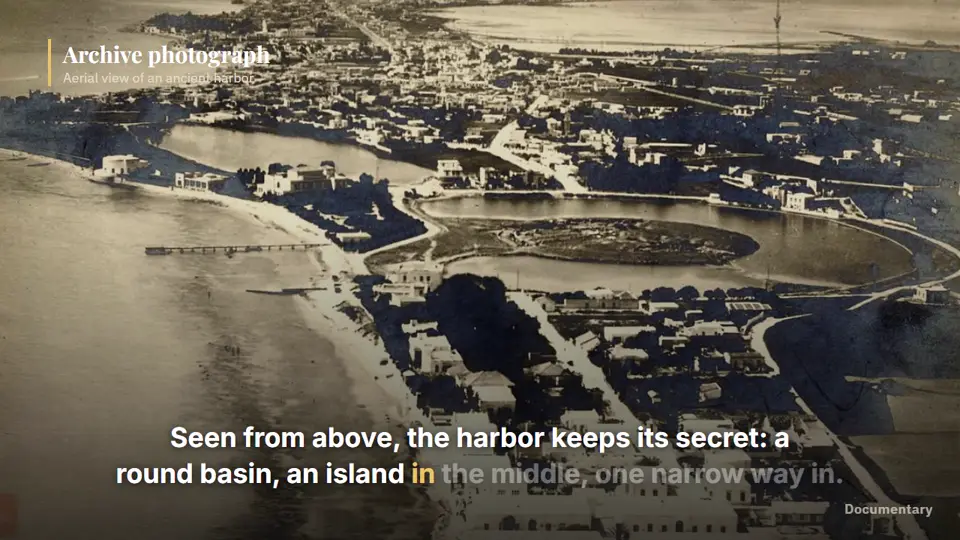
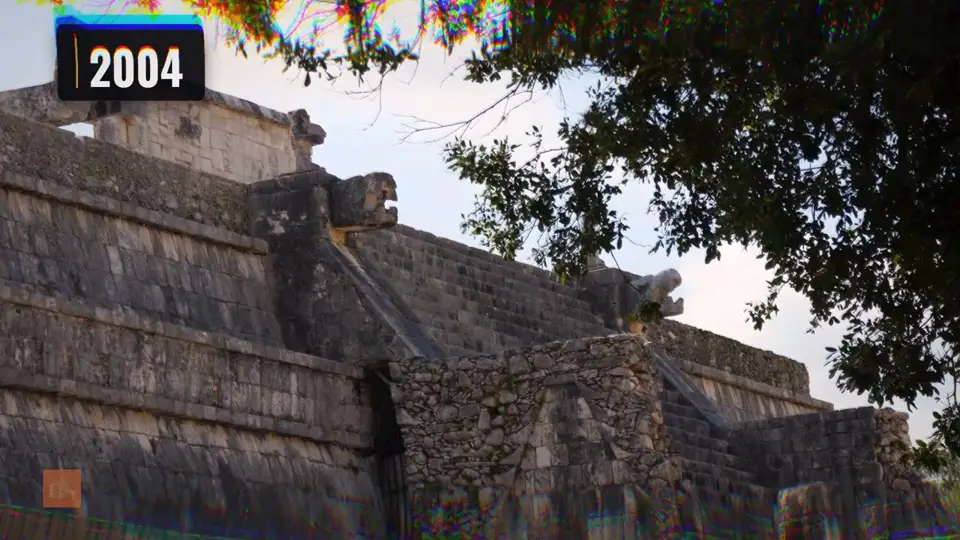
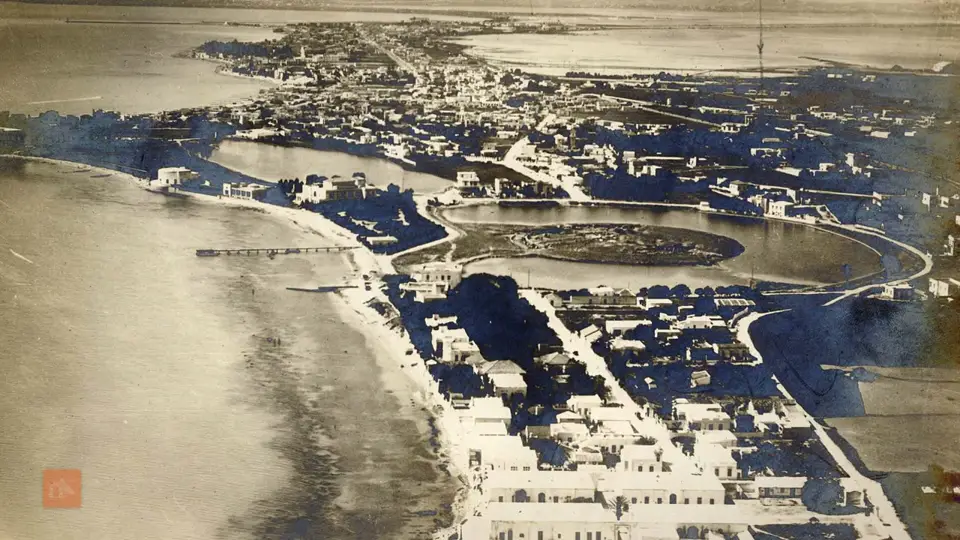
First pass: a stone temple, which does not match the lineSwapped in: an aerial photograph of the round harbor basinTHE INNER HARBORRound basinIslandOne way inOuter harborAncient harbor2nd century BC

Check: the picture doesn’t show what the line says

Seen from above, the harbor keeps its secret: a round basin, an island in the middle, one narrow way in.

Your note: “Show the round basin from above.”0 minutes used so far

Candidates for this line

Demo of a storyboard swap. Both photos are stills from films our engine made for our own channels; the plan and the map are drawn in the same look.

Watch a full film.

Unedited, with voice, exactly as the engine delivered it for one of our own channels. 27 films like it from 21 October 2026 to 1 November 2026; the channels are new, so we show the films, not their numbers.

Plays from YouTube after you click; YouTube’s privacy policy applies to the player.

Naypyidaw Built 20-Lane Highways for Cars That Never Came

Channel
Megaproject Files (ours)
Published
31 October 2026
Length
10:24
On a plan
10.5 minutes

Exactly as the engine delivered it: script, voice, footage, graphics and cut, with no human edit in between.

More whole films from our channels

Made by you, not by a template.

YouTube’s policy is aimed at videos that look made from a template or repeat themselves from video to video. VidSwarm is built the other way, and every film comes with a production record that shows how it was made.

  • Sources for every claim

    Each factual line links to where it came from, and the list goes into the description.

  • A license for every clip

    Every scene says where its picture came from and under which license.

  • Your approvals, with time

    Topic, script, storyboard and film: a person signs off on each step.

  • Every edit step

    Swaps with your note, re-voiced lines, scenes our checks rebuilt.

  • Yours to export

    Download it as a PDF and keep it with the film, for a monetization review or an appeal.

No tool can promise how YouTube will review a channel, and we don’t. The record shows how a film was made; what you publish is your decision.

See a production record in the demo studio

Production record · “The harbor with one way in”

Sample record, demo workspace · 38 scenes · 10:24

Export PDF

1Sources per claim

  • The inner harbor was round, with an island in the middle.

    Appian, Roman History, Book VIII §96

  • Its docks had room for 220 warships.

    Appian, Roman History, Book VIII §96

2License per clip

  • Scene 12Aerial photograph of the basinPublic domain, archive
  • Scene 13Plan of the harborDrawn by VidSwarm in your look
  • Scene 14Waves at the harbor mouthStock, license on file

3Human approvals

  1. TopicApproved by you · Mon 09:12
  2. ScriptApproved after 2 edits · Mon 10:40
  3. StoryboardApproved, 10.5 min reserved · Mon 11:05
  4. FilmApproved · Mon 15:22

4Edit steps

  1. Scene 12 swappedby you

    “Show the round basin from above.”

  2. Scene 6 rebuiltby our checks

    Text cut at the right edge. Rebuilt free.

  3. Line 31 re-voicedby you

    Name pronounced wrong.

From a first scene to an upload package in four steps.

Start with the channel you have, or with a new one. Step by step or hands-off, per channel; it always stops before it spends minutes. The screens below are the real app; try it with sample data, no account needed.

Try the demo studio

I have a channel

Paste your channel link. VidSwarm reads the look of your recent videos (palette, type, motion, graphics) and shows your first scene in that look, with the plan and its price.

  • Look read from your own videos
  • Your formats and voice carried over
  • First scene in your look in minutes

Start a new channel

Pick a niche, take a look from the library or paste a video you like, and make the first film. You only need a YouTube channel when you upload.

  • Niche check before you commit
  • A look from the library, made yours
  • First film before the channel exists
  1. 1Step 1 of 4

    Start from your channel, or a new one.

    With a channel, VidSwarm reads its look from your recent videos. Without one, you pick a niche and a look from the library. Either way you see a first scene in that look before anything costs a minute.

    • Look from your channel, a video you like, or the library
    • Your fonts, logo and colors in a brand kit
    • A library voice, or your own
    Channel look: colours and fonts for graphics, captions and thumbnails
    From the app, demo workspace
  2. 2Step 2 of 4

    Write a brief, get a plan with its price.

    Describe the film in a sentence or paste a video whose format you like. VidSwarm proposes the topic, title, outline and length, and shows what the film will cost before it writes the script.

    • Any format, saved to the channel
    • Five topics with the viewer’s question
    • Length and price in the plan
    Plan approval: hook options with scores, outline with retention estimates, and the cost
    From the app, demo workspace
  3. 3Step 3 of 4

    Check every scene. Swap the ones you don’t like.

    The storyboard pairs every sentence with its picture, its source and a check verdict. Swap one scene with a note and only that scene is rebuilt. Approving the storyboard is when minutes are reserved.

    • A picture per sentence, with source and license
    • Three swaps per film included
    • Failed checks rebuilt at our cost
    Storyboard: every scene with its line, visual, source and check
    From the app, demo workspace
  4. 4Step 4 of 4

    Get the film, the package and the record.

    The finished film comes with thumbnails, title, description with chapters and sources, subtitles, Shorts and its production record. Direct upload to YouTube is waiting for Google’s review; until then you download the package.

    • Last fixes by chat or on the timeline
    • The upload package as one download
    • The production record as a PDF
    The editor: film preview, scene inspector and the video agent proposing a change with its cost
    From the app, demo workspace

No two channels look the same.

The same sentence, the same number, the same scene type, in three channel looks. Your look comes from your channel, a video you like or the library, and every film adds signature scenes made for that film only.

Script line, scene 4 · motion form: big number

“In November 1923, a loaf of bread in Berlin cost 200 billion marks.”

  • Archive paper

    Ground#1A1510Accent#C9953FType: Georgia

  • Tactics board

    Ground#0D1A12Accent#7CE38BType: Archivo Narrow

  • Case file

    Ground#0B0B0CAccent#E5484DType: Bebas Neue

Drawn on this page from each look’s colors and type. In a film, the engine renders the same scene as motion, and each film adds one to three signature scenes of its own.

Approve before a single minute is used.

You see the topic, the title, the script and every scene before any minutes are used. The minutes of the film are on the approve button. If a scene fails our checks, we rebuild it at our cost. Your files stay yours, even after you cancel.

Price per video, up front

See the price before you approve.

Topic, script and storyboard use no minutes. The film’s length and price are on the approve button, and minutes are booked only when the film is done.

Storyboard · 38 scenes0 min used

Approve storyboard10.5 min · $18.45

Creator plan, $1.76/min. On Starter: $23.10.

Minutes roll over

Unused minutes move with you.

What you don’t use stays while you’re subscribed, up to 2 months’ worth of your plan. Top-ups never expire.

Next month, Creator174 min

136 plan minutes+ 38 carried over

Your files stay yours

Cancel in one click. Keep everything.

For 90 days after you cancel, you can still download every film in standard formats. We never need access to your channel to keep it that way.

  • MP4
  • thumbnails
  • subtitles (SRT)
  • script
  • storyboard
  • source log
  • production record
  • Failed checks are on us

    A scene that fails a check is rebuilt without your minutes.

  • Three swaps per film included

    Change a scene with a note; only that scene is rebuilt.

  • Start with $9

    One test film up to 5 minutes, credited if you start a plan within 7 days of delivery.

Prices per film are worked out from the plan price. See all plans

Not four formats. Any format.

Most AI video tools give you a short list of templates. Here are ten formats, rendered by our engine or cut from our own channels. If yours isn’t here, describe it in a sentence or paste a video you like.

All examples
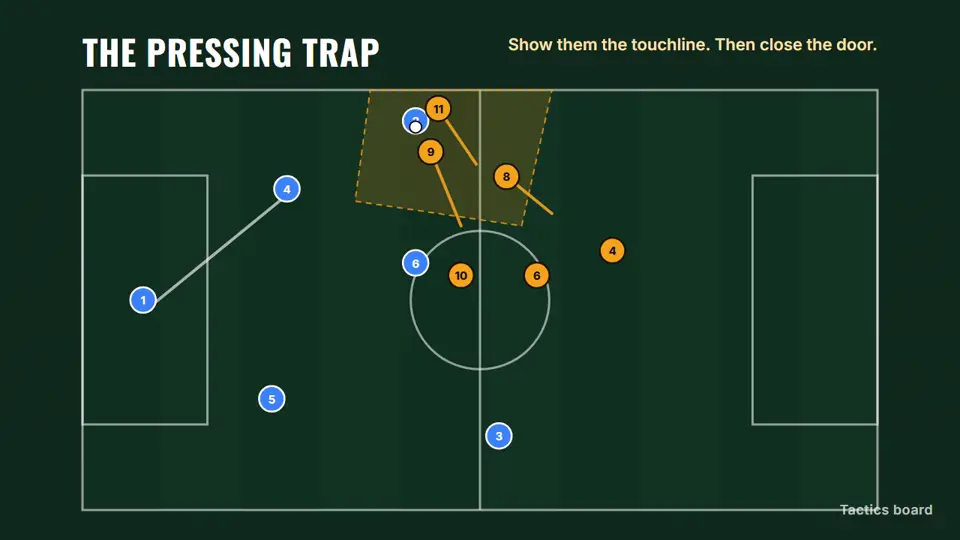
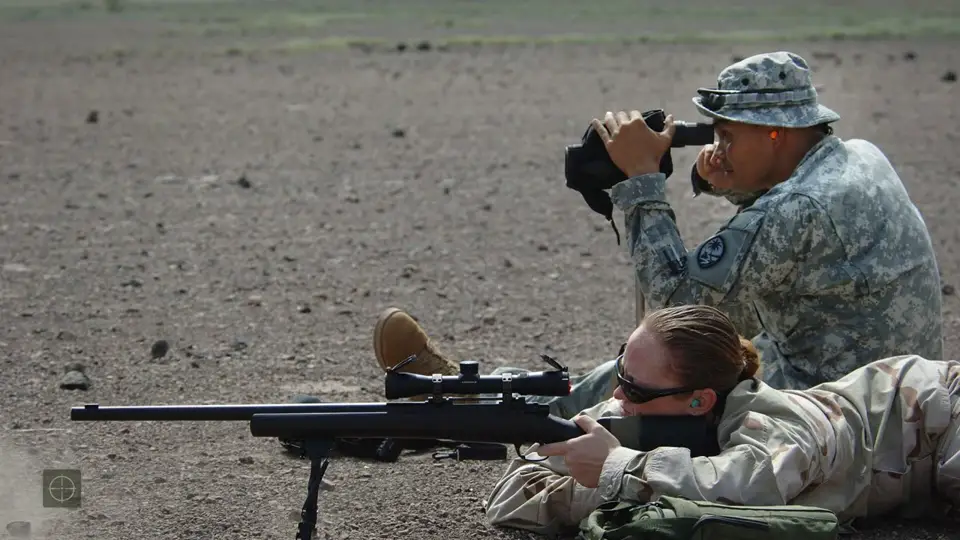
Football tactics analysis: Players, runs and pressing zones on an animated board.
Rendered by our engine

Football tactics analysis

Players, runs and pressing zones on an animated board.

History documentary: Ancient warfare, English. Cut from a 10:39 film.
From our own channel

History documentary

Ancient warfare, English. Cut from a 10:39 film.

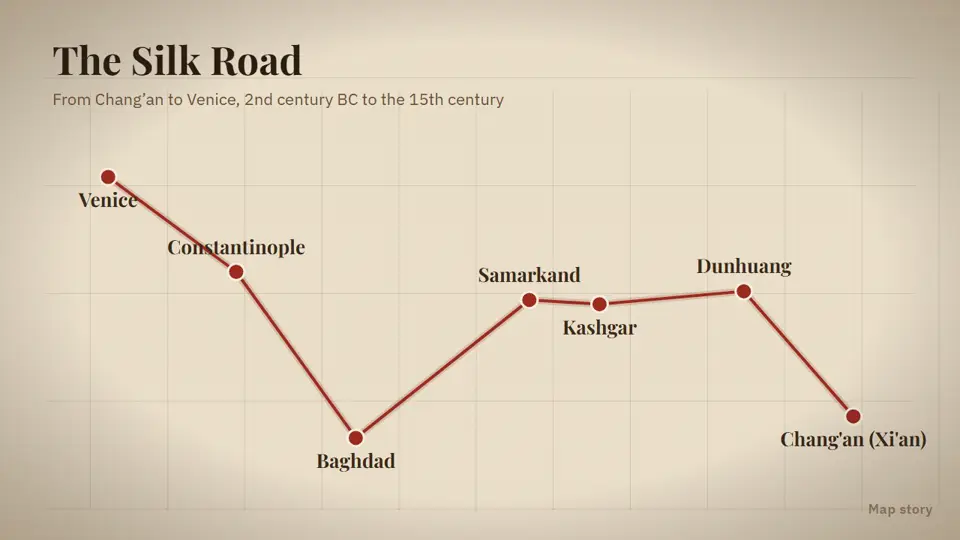
History with maps: A route drawn city by city, in an archive-paper look.
Rendered by our engine

History with maps

A route drawn city by city, in an archive-paper look.

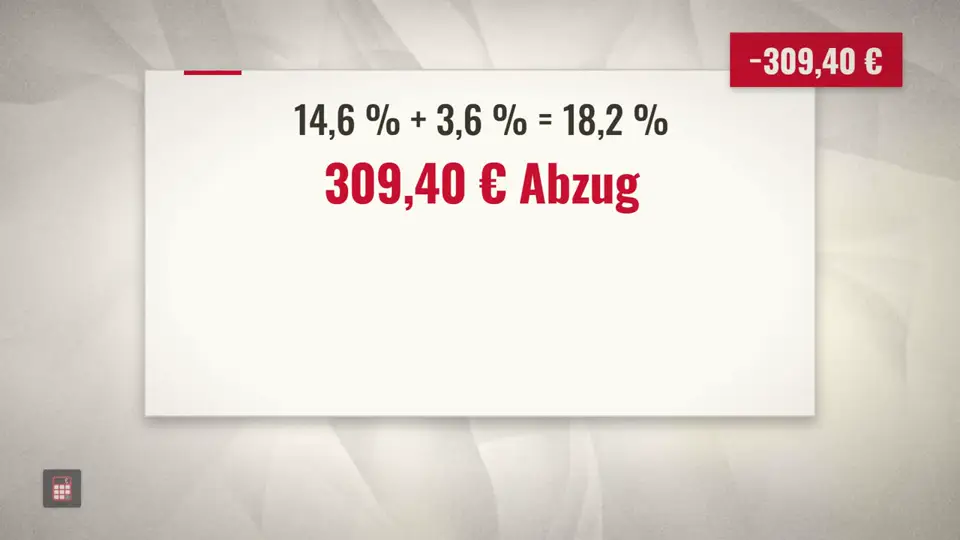
Money explainer: Pensions and tax, German. Cut from a 8:32 film.
From our own channel

Money explainer

Pensions and tax, German. Cut from a 8:32 film.

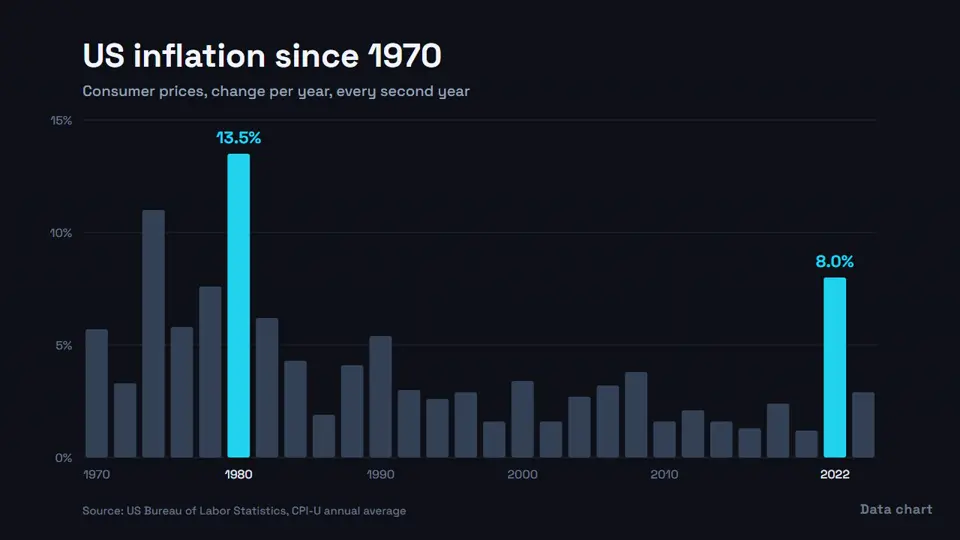
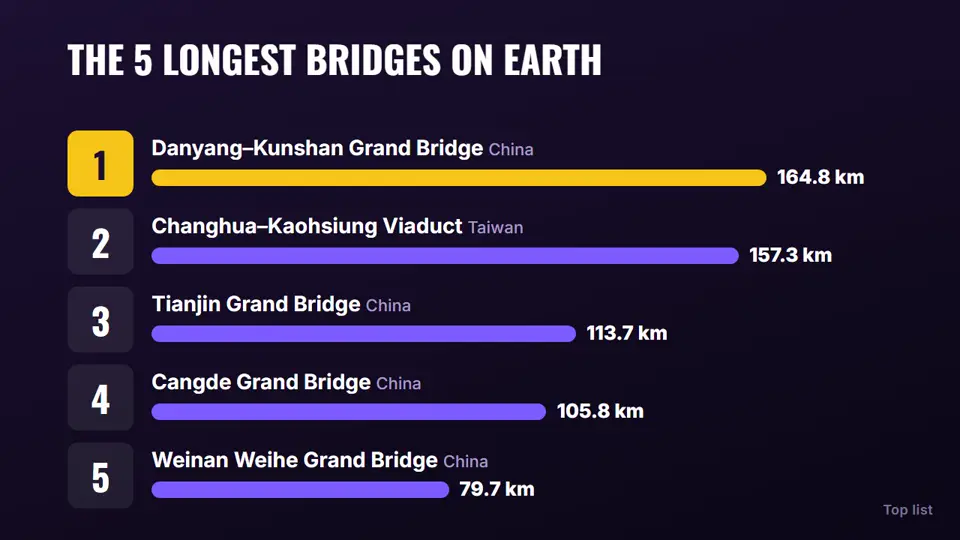
Finance explainer: Real data, animated bar by bar, with the source on screen.
Rendered by our engine

Finance explainer

Real data, animated bar by bar, with the source on screen.

Breakdown: Military hardware, English. Cut from a 11:18 film.
From our own channel

Breakdown

Military hardware, English. Cut from a 11:18 film.

Documentary with subtitles: Archive image, slow push-in, word-timed captions.
Rendered by our engine

Documentary with subtitles

Archive image, slow push-in, word-timed captions.

Disaster documentary: Infrastructure failures, English. Cut from a 10:16 film.
From our own channel

Disaster documentary

Infrastructure failures, English. Cut from a 10:16 film.

Top list: A countdown with bars to scale.
Rendered by our engine

Top list

A countdown with bars to scale.

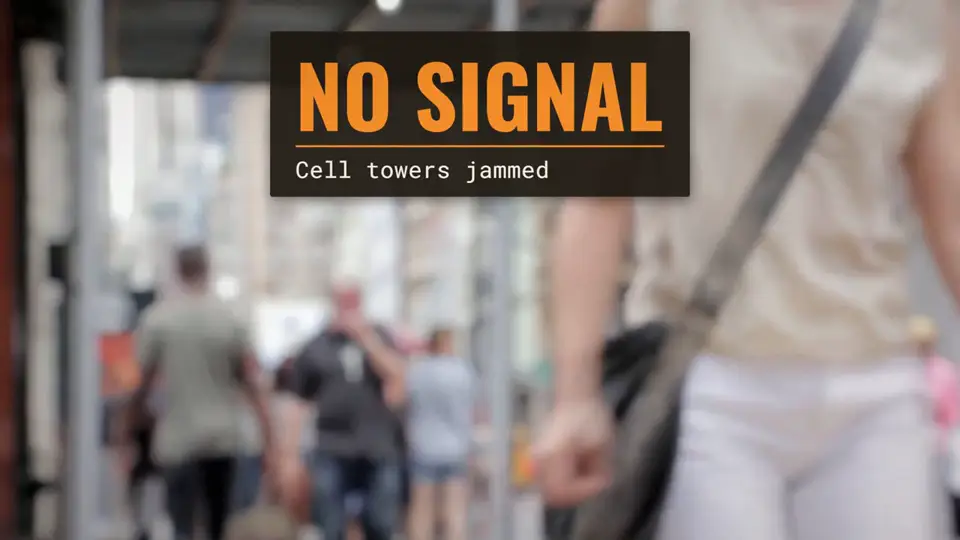
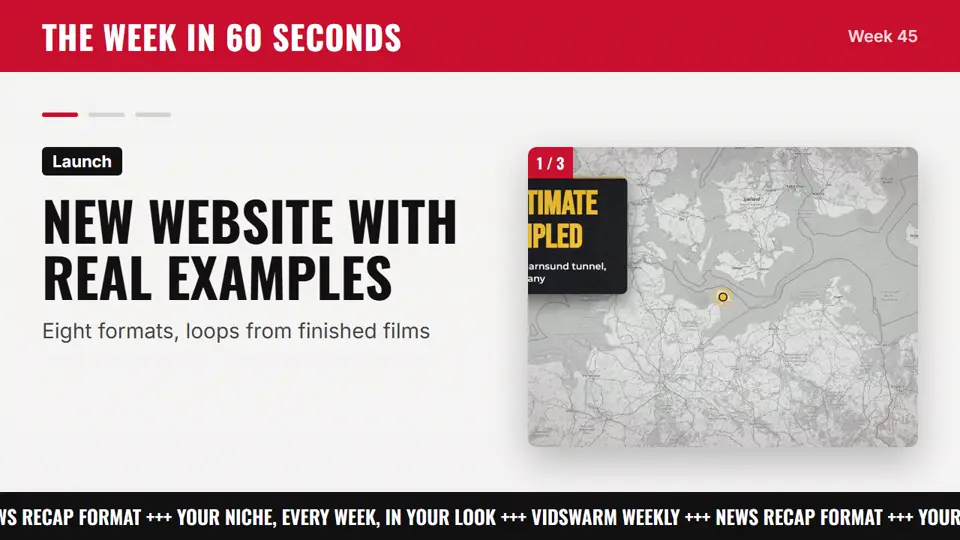
News recap: A weekly round-up with a ticker, in a broadcast look.
Rendered by our engine

News recap

A weekly round-up with a ticker, in a broadcast look.

Or describe your own

A format is a structure, a pace and a set of scene types. Write it in a sentence or paste a video whose format you like: VidSwarm reads its format DNA and turns it into a script outline and a storyboard you approve.

Format

  • A courtroom drama told only through the transcript, one witness per chapter
  • A countdown of 7 abandoned megaprojects, ranked by money lost per citizen
  • A slow travel essay about one street, filmed through 100 years of photos

Your format is saved to the channel, so every next film keeps it.

Our proof is production, not results.

The engine behind VidSwarm makes the films for 10 channels of our own: 27 films logged from 21 October 2026 to 1 November 2026. We show the work, including what broke.

finished long-form films
27
finished long-form films
channels of our own, each in its own look
10
channels of our own, each in its own look
typical running time
8–11 min
typical running time
rounds of fixes after reviewing every batch
10
rounds of fixes after reviewing every batch
languages (English, German)
2
languages (English, German)

What broke in our own films, and what every channel gets because of it

  • BrokeA film about an invasive insect showed the wrong animal.

    FixedVisuals are searched with the exact noun from the line. If nothing fits, a graphic is drawn instead of a near miss.

  • BrokeA vertical clip with burned-in black bars landed in a 16:9 film.

    FixedBars are measured at the source, and clips with bars are blocked before they reach a scene.

  • BrokeUS dollar bills appeared in a film about euro pensions.

    FixedMoney and documents on screen come from the film’s own country.

  • BrokeText in a graphic was cut off at the edge of the frame.

    FixedPanels grow with their text, and overflowing text is caught before the render.

  • BrokeOne still image stayed on screen for 74 seconds.

    FixedA still now holds 8 seconds at most and is cut with neighbouring pictures.

Pay for finished minutes. Nothing else.

Same list prices as Vidrush. What you get on top: unused minutes roll over for up to two months, failed scenes are rebuilt free, three scene swaps per film are included, every film has a production record, and you can download everything for 90 days after you cancel.

Free

$0 /mo

No card

  • 1 channel
  • Long-form and Shorts
  • Script, storyboard, film
  • Thumbnails and upload package
  • 2 GB storage

3 min per month · ~1 video

Starter

$99 /mo

$2.20 per minute

Everything in Free, plus

  • Unused minutes roll over
  • Extra channels, $19 each
  • 50 GB storage

45 min per month · ~8 videos

Creator

Popular

$239 /mo

$1.76 per minute

Everything in Starter, plus

  • 3 channels
  • 2 videos at once
  • 3 signature scenes
  • 200 GB storage

136 min per month · ~23 videos

Pro

$639 /mo

$1.56 per minute

Everything in Creator, plus

  • 10 channels
  • 3 seats
  • 3 videos at once
  • Client review links
  • 1 TB storage

409 min per month · ~68 videos

For teams

Scale

$1,750 /mo

$1.54 per minute

Everything in Pro, plus

  • 30 channels
  • 10 seats
  • 5 videos at once
  • 5 signature scenes
  • 3 TB storage

1,136 min per month · ~189 videos

Studio

$4,990 /mo

$1.46 per minute

Everything in Scale, plus

  • 50 channels
  • 15 seats
  • 15 videos at once
  • 10 TB storage

3,409 min per month · ~568 videos

Enterprise

Custom pricing

Everything in Studio, plus

  • Your minutes, channels, seats
  • Invoice billing
  • A direct contact

Custom minutes

Video estimates assume 6-minute videos. Unused minutes roll over, up to 2 months' worth on paid plans.

Check your niche before you spend a dollar.

Preview: see what a niche check looks like (sample data until our radar is connected). For real numbers, read our 15 niche reports, collected from YouTube on 3 November 2026. Free, no account.

Reports come from the same radar the studio uses.

Money History

Sample report

Saturation
low
Outlier channels
14
90-day growth
+38%
  • THE $1 TRILLION COIN

    Coin & Crisis4.1× outlier
  • WHY GOLD LEFT

    Paper Promise3.2× outlier
  • 7% MORTGAGES?

    Rate Shock2.6× outlier

Topic idea

How inflation quietly robs savers

Viewer question: “What will my savings really be worth in 10 years?”

Questions before your first film.

I’m new to YouTube. Can I start here?

Yes. You need no channel, no editing skills and no footage: you pick a niche and a look, and the first scene appears in that look before anything costs a minute. Start with the free YPP watch-hours calculator to see how long monetization usually takes; we never promise income.

Will YouTube treat these videos as low-effort AI content?

No tool can promise how YouTube will review a channel, and we don’t. YouTube’s policy targets content that looks made from a template or repeats itself from video to video. VidSwarm is built the other way: a look of your own, a visual chosen for each sentence, sources logged for every claim, and a person approving each step. Every film comes with a production record of its sources and decisions, which you can keep for a monetization review or an appeal. What you publish is your decision.

I don’t have a channel yet. Can I still start?

Yes. Choose “Start a new channel”: pick a niche (the free niche check helps), take a look from the library or paste a video you like, and make the first film. You only need a YouTube channel when you upload.

Do I pay for scenes I don’t like or renders that fail?

No. Research, topic, title, script and storyboard use no minutes. Minutes are reserved only when you approve the storyboard, and the film’s length and price are shown on that button. If a scene fails an automatic check (text overflow, black frames, loudness, a visual that doesn’t match the line), we rebuild it for free. The first three scene swaps per film are included.

Will my channel look like every other channel using VidSwarm?

It shouldn’t, and you can check before you pay. Each channel gets its own palette, type, motion and graphic style, and each film gets signature scenes made only for it. Look at the storyboard: if a scene feels generic, swap it with a note (“show the route on a map instead”) and only that scene is rebuilt.

What is the production record?

A record that comes with every film: the source of every claim, the license of every clip, who approved each step and when, and every edit, including scenes our checks rebuilt. You can download it as a PDF on its own or with the film files.

What do I get for the $9 test film?

One real film up to 5 minutes through the whole chain, in your look, without a watermark, with the full upload package and its production record. If you start a plan within 7 days of the film’s delivery, the $9 is credited. It never turns into a subscription by itself.

Does it upload to my channel?

Direct upload is waiting for Google’s review of our YouTube access. Until then you download the package: film, thumbnails, title, description with chapters and sources, tags and subtitles. Once approved, uploading is always your click; we never need write access without your approval for that film.

Where does the footage come from?

Mostly from our own motion graphics and maps rendered in your look, plus licensed stock, public-domain and Creative Commons archives, and material you upload yourself. Every clip is logged with its source and license. You decide what you publish and stay responsible for it, as our terms explain.

Which languages?

Scripts are written in the channel’s language from the start, not translated afterwards. Our own channels run in English and German today.

Can I cancel, and what happens to my files?

Cancel in one click from Billing; the plan runs to the end of the period you paid for. Unused minutes roll over while you are subscribed, up to 2 months' worth of your plan; when the plan ends they expire. Top-ups never expire. After you cancel, you can download everything for 90 days: MP4, thumbnails, subtitles, script, storyboard, source log and production record.

Is all of this available today?

No. VidSwarm is in private beta: 30 seats for the $9 test film, opened in three waves of ten, and during the beta every film is reviewed by the founder. The agent, direct upload and analytics roll out over the next year. The changelog lists what is live; the examples page says where every clip comes from.
See every scene before you pay for the film.

One real film up to 5 minutes, in your channel’s look, with its production record. $9, no subscription.